
The host owns state
The API surface is documented. The host behavior is where production architecture begins.
Revit is a long-running desktop application with its own transaction model, external event queue, document lifecycle and threading rules. Those constraints do not match typical .NET assumptions. An add-in that treats Document as a database it can query from any thread may work in a controlled demonstration and fail intermittently when the model is busy, a command is still active or a document changes underneath it.
The integration boundary therefore needs to be explicit. UI intent enters through a command or external event; model reads and writes happen in the host-approved context; transactions are small and observable; domain logic receives stable data rather than reaching through the host from everywhere. This separation keeps the system testable while respecting the application that actually owns the state.
Versions diverge
Firms do not upgrade Revit in lockstep, and a single project can span years and multiple host versions. Supporting more than one release in one codebase means isolating what changed in the API behind a stable internal interface, so business logic does not fork per version—only the thin adapter layer does.
| Concern | Stable core | Version adapter | Release check |
|---|---|---|---|
| Element access | Domain entity and identity | Parameter and collector API | Fixture model per supported host |
| Transactions | Operation intent | External event and transaction wrapper | Rollback and partial-failure test |
| UI / commands | View model contract | Ribbon, manifest and host hooks | Clean install and upgrade path |
| Evaluation history | Run, evidence and outcome schema | Model state extraction | Immutable snapshot comparison |
The adapter is not a place to hide differences forever. It is a place to name them. Once the seam is explicit, a host upgrade can be evaluated as a bounded compatibility change instead of a cross-cutting rewrite.
The model changes under you
The model underneath an add-in changes constantly: elements are added and deleted, parameters are edited, links are reloaded, families are replaced and worksets become unavailable. QA has to hold up against that movement. Model-health checks—elements without levels, unconnected fixtures, fixtures missing circuits, panels without upstream sources—should run reliably regardless of the current model state.
Test data needs to represent failure, not just the clean path. A useful fixture set includes missing parameters, duplicate identities, unloaded links, invalid geometry, stale cached values and a document that cannot accept a transaction. Results should be reproducible enough that “it worked yesterday” is not an acceptable QA signal.
Transactions fail
A transaction can fail after the UI has accepted an intent. The system must distinguish a proposed action, a committed change and a rolled-back operation; only a committed result can update the record. The same discipline applies to these production failures:
Host state treated as application state
Reading or mutating the document from an arbitrary thread creates race conditions that a demo rarely exposes. Keep host access behind commands, external events and transaction boundaries.
Version differences leak into business logic
When version-specific API calls appear in every feature, compatibility becomes a permanent fork. Stable domain interfaces and thin adapters keep the core coherent.
Only the happy model is tested
Real projects contain deleted elements, missing levels, unloaded links and incomplete work. Health checks and representative fixtures make those states first-class test inputs.
Evaluation history is overwritten
A live dashboard cannot explain why a result changed. Preserve the model state, population, predicate, evidence and outcome for every run.
Installation is treated as a detail
Manifest behavior, upgrade paths, orphaned DLLs and per-version packaging determine whether software reaches users. Installer validation belongs in CI and release acceptance.
Installation is part of technical delivery
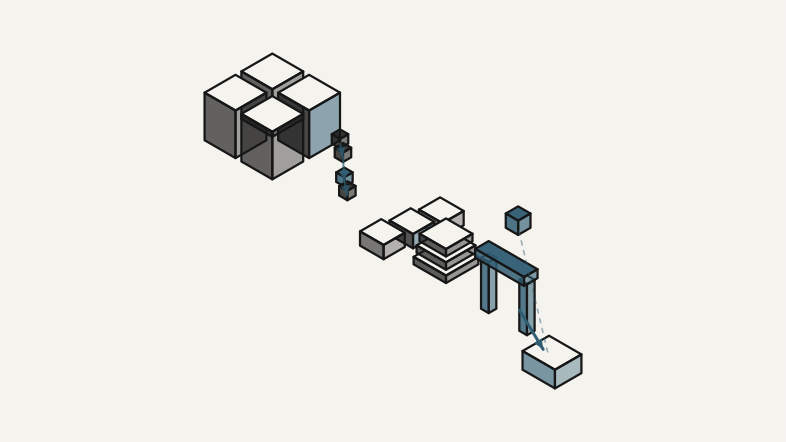
The last mile is where many add-ins break in the field: installer behavior across Revit versions, upgrades that leave orphaned assemblies, manifests that load only on one machine and a release process that does not catch a broken build before an engineer meets it during a deadline.
Source
Tests and model fixtures
CI / version matrix
Package and manifest
Installer / upgrade
Production host
Telemetry / feedback
C# · .NET · Revit API · WPF/MVVM · CI/CD · installer validation
Putting AI inside the host
Engineering software applies these host constraints through deterministic validation, multi-version compatibility, traceable evaluation runs, evidence and human review inside Revit. The broader AI for Engineering system stack shows where the host belongs: between physical context, computational models, intelligence, authority, action and feedback—not in place of any of them.